Power Theme is a theme manager for Renku OS and Haiku. It switches the whole look of the desktop between themes, and back: window borders, controls, colours, fonts, wallpaper, the Deskbar's place and freedesktop icon themes. It reads the themes made for Theme Manager (and BeOS and ZETA before it) too.
Repo: https://github.com/idumych/power-theme
It comes with its own looks: Reactionary ME (a Windows ME style look after the KDE Plasma theme of that name, with the ClassicOS 2000 icons), Smoke (window borders and controls in the style of ZETA's), Renku (in the colours of the Renku OS website), plus the Haiku, Gonx and four Flat themes.
Here's Power Theme itself, running under the stock Haiku theme:
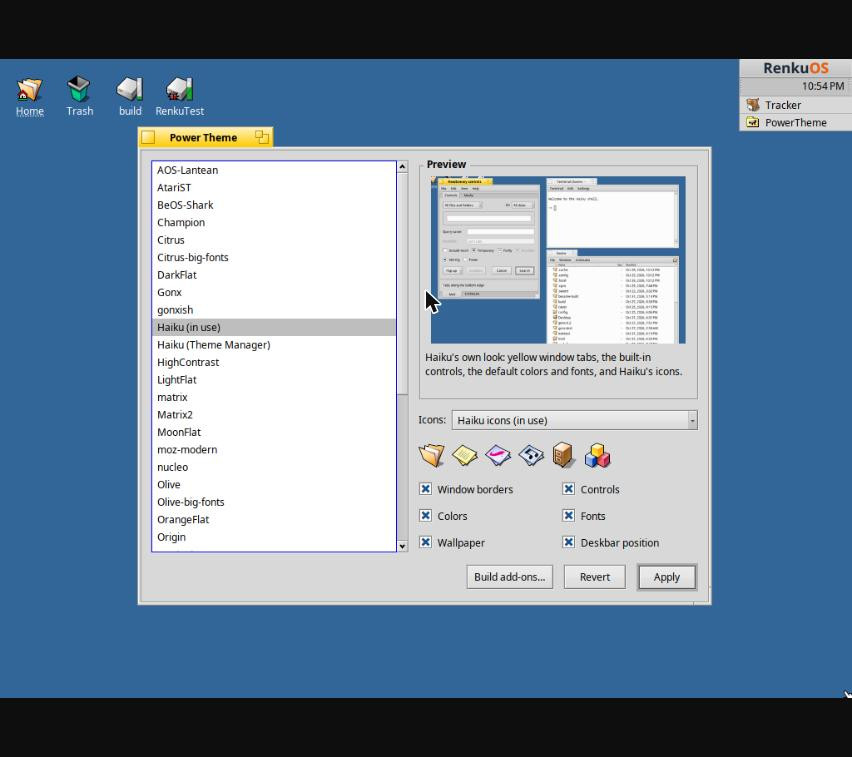
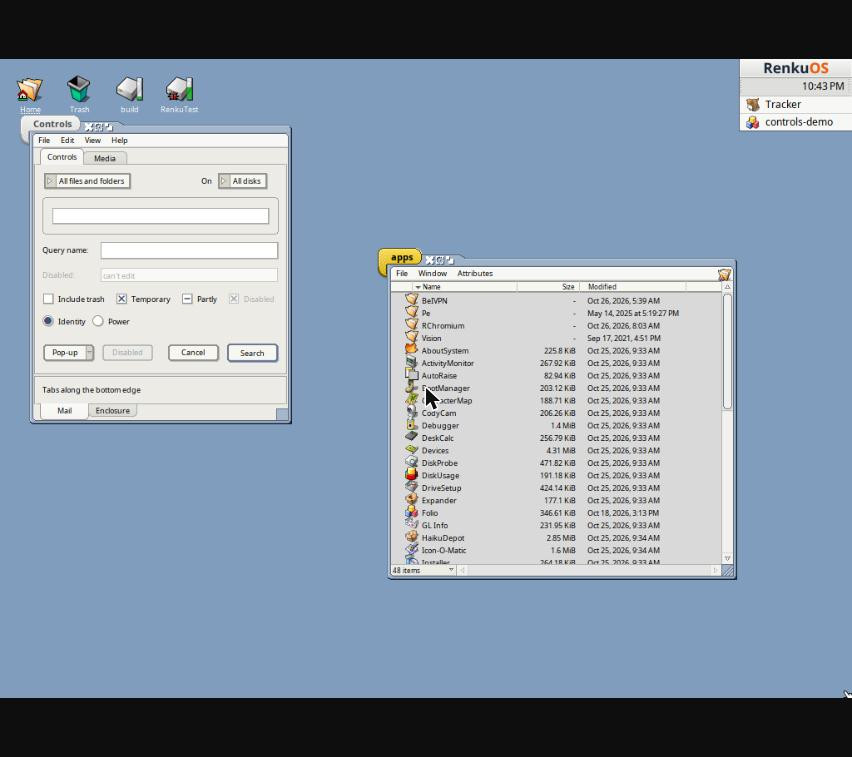
Windows ME window borders and controls, with the ClassicOS 2000 icons on folders and file types (that's an "apps" Tracker window on the right, and a folder of different file types on the left, so you can see how the icons look across types). This is an independent, unofficial port of Die4Ever's Reactionary ME KDE Plasma theme, redrawn to match — the code shares nothing with the original.
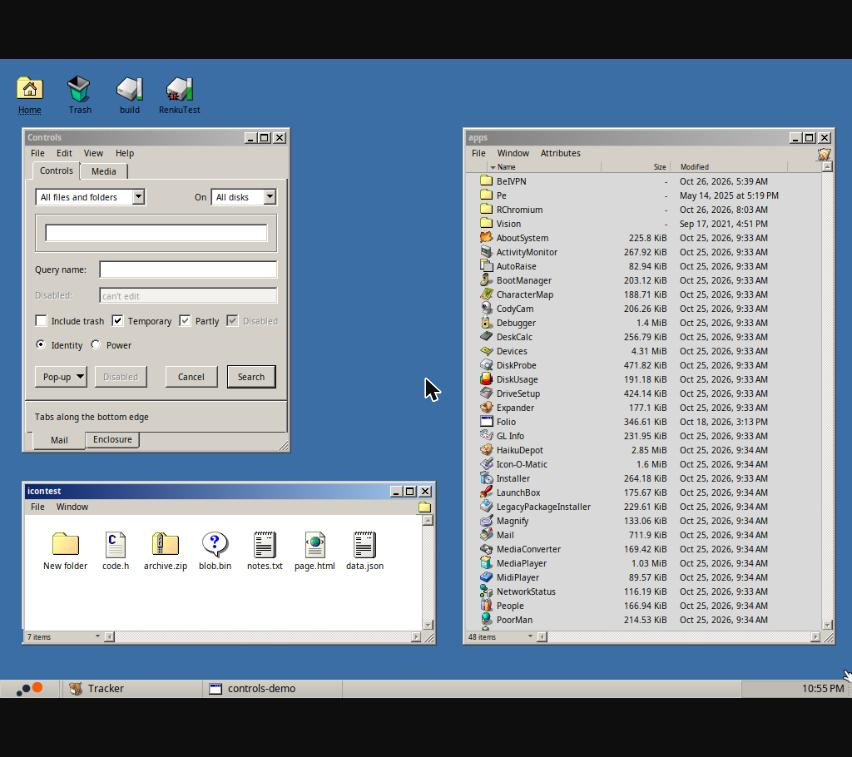
Next, the Renku theme: Smoke window borders and flat controls in the colours of the Renku OS website.
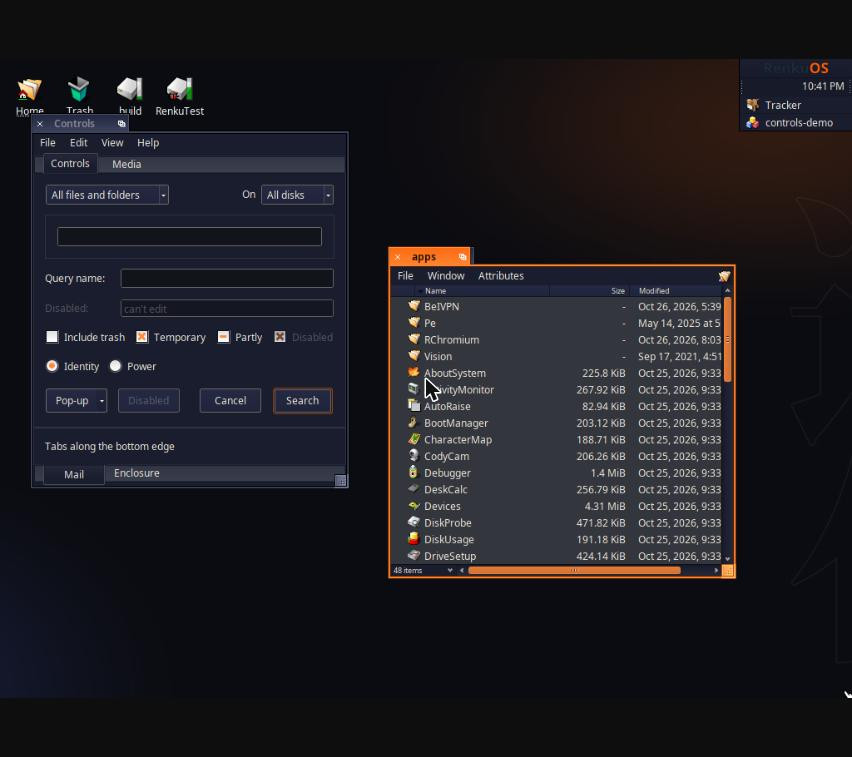
Night blue and indigo panels and lists, warm white text, fire-orange window tabs, menu highlights, focus and scroll bar thumbs, with gold and seal red for links and failures. The wallpaper follows the Renku OS site's front page.
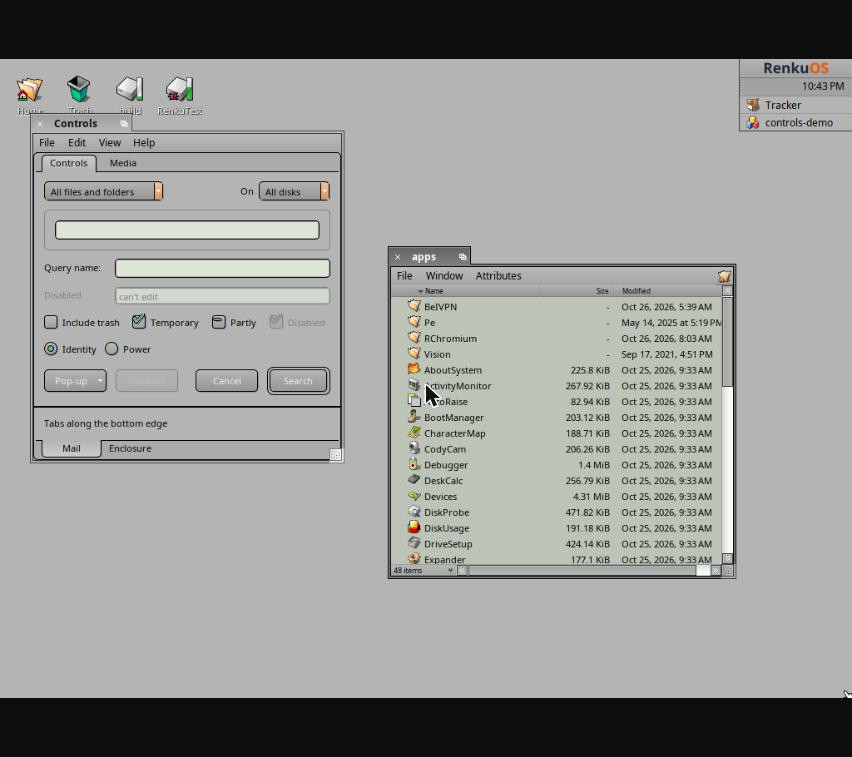
And here's Smoke on its own — a window decorator and control look drawn from scratch, pixel by pixel, from screenshots of ZETA 1.21 (no ZETA code or artwork is used):
Up next, Gonx: Gonx's own window borders and controls.
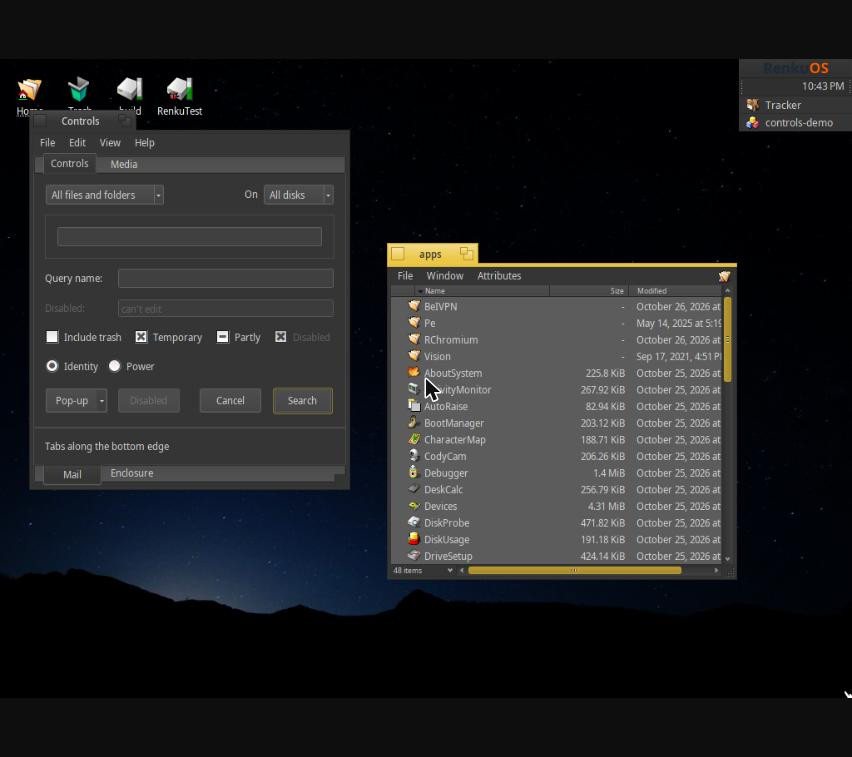
And DarkFlat, from haiku_darkstyle, with Haiku's own Flat window borders and controls over a night-sky wallpaper:
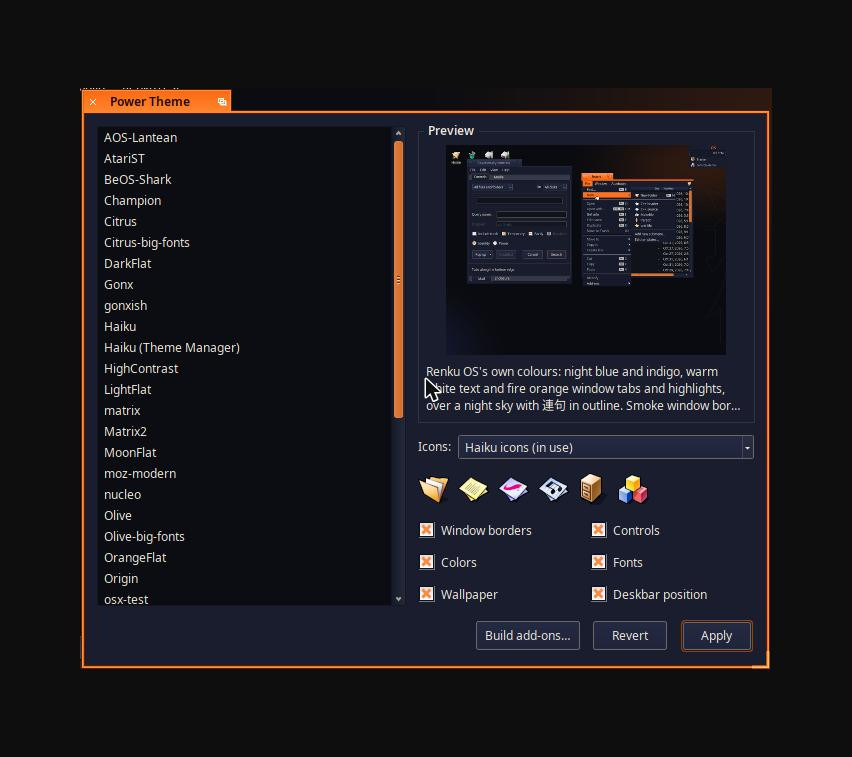
And here's Power Theme's own window, with the theme list, a live preview, the icon theme picker, and the parts you can apply individually:
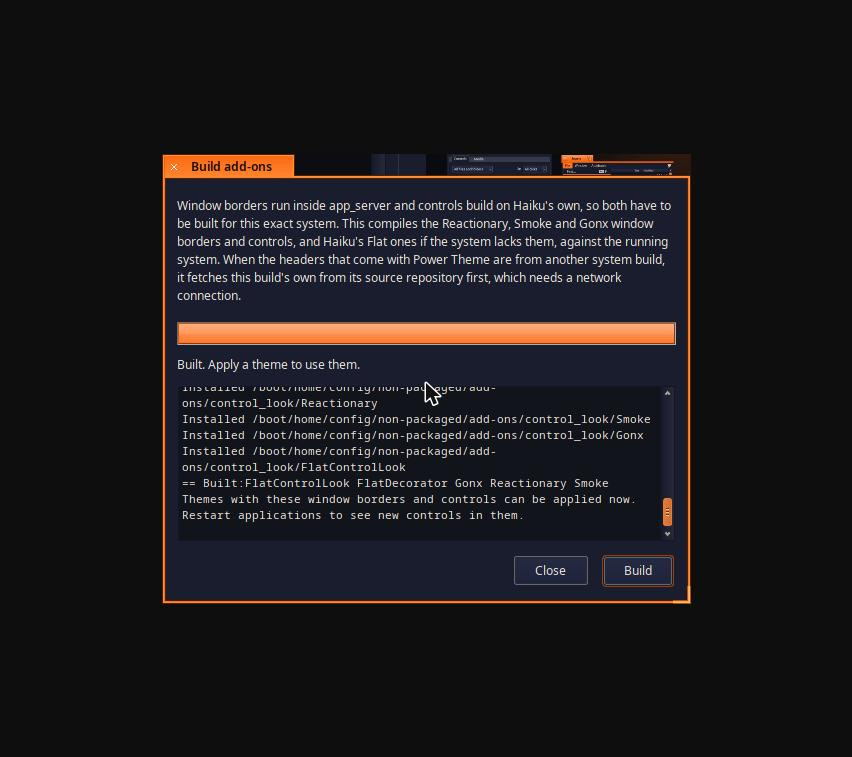
The decorators and control looks use private parts of app_server and libbe, so they get compiled for your own system. "Build add-ons…" does that, with a progress bar and a log — here it's using the bundled headers, which happen to match this Renku build:
Install
Power Theme comes as a package for Haiku R1/beta6 and later, and Renku OS (x86_64), on the releases page:
pkgman install ./powertheme-0.3-1-x86_64.hpkg
Then open Power Theme (Deskbar → Applications), click "Build add-ons…" once and apply a theme. The window borders and controls are built on your own system, because they use private parts of app_server and libbe, so you'll need to build them again after a system update — Power Theme offers to install the compiler if it's missing.
It also reads Theme Manager themes (the ones made for BeOS/ZETA too), and turns any freedesktop icon theme into proper Haiku vector icons. Full details, credits and limitations are in the README.
Feedback, bug reports and PRs welcome!