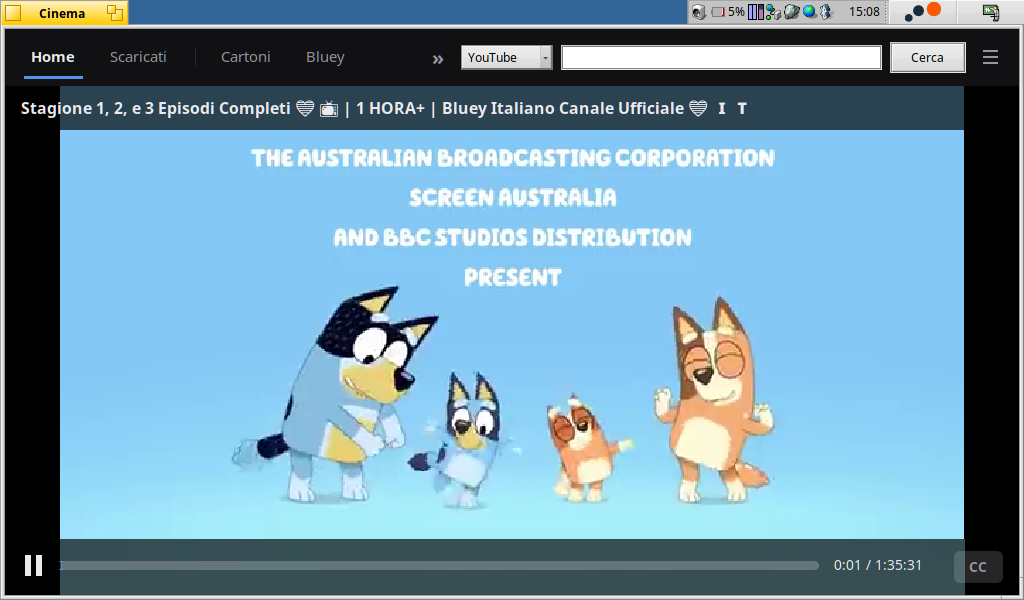
Cinema plays YouTube, Internet Archive films and cartoons, PeerTube, live TV, torrents and your own video folders, in its own player. It was made to run on small machines like the Toshiba AC100.
The home screen has a row for what you were watching, one for your downloads, and one for each tab. A tab is either a saved search or a channel, and you can add a channel from the name under any of its videos. Search covers YouTube, the Internet Archive and PeerTube.
The player resumes where you stopped, and has subtitles (YouTube tracks, or a subtitle file next to the video) and a quality setting from 360p to 1080p. Live TV offers your country's free channels from the iptv-org lists, or any M3U list. Drop a folder on the window and its videos become a tab. Films and series in those folders get posters and episode lists if you add a free TMDB key. Any video can be downloaded to watch offline. Magnet links and torrent files are fetched with aria2c.
It works from the keyboard or a gamepad, and is translated into ten languages, Italian among them.
On the AC100, local videos and live TV play at 25 fps, and audio and video stay in sync after a resume or a seek.
Packages for x86_64 and for ARM (ARMv7 with VFPv3-D16) are at https://github.com/atomozero/Cinema/releases/tag/v1.2.1. On ARM, put the single-file yt-dlp in your PATH. On x86_64, pkgman installs Python, yt-dlp and FFmpeg for you.